The One Setup Step Most People Skip And Why ChatGPT Keeps Disappointing Them

Updated: Apr 14
Most people don’t quit ChatGPT because it’s “not smart.” They quit because they never told it who they are. They open the app, toss in a vague prompt, get a safe, generic, corporate-scented answer… and conclude the tool is overrated. That’s not a model problem. That’s an identity problem.

ChatGPT without personalization is like hiring a high-end consultant and refusing to answer the first question: “What do you do, and what do you care about?” If you won’t provide context, the system defaults to lowest-common-denominator responses which are helpful, but never useful.
Here’s the cycle that plays out everywhere: curiosity (“Let me try ChatGPT for work”), a first prompt, a bland result, a quick verdict (“Meh. This thing is just a template machine”), and then abandonment. The diagnosis is simple: they never told ChatGPT who they are. Without that, you’re forcing the model to guess your world, your constraints, your audience, your standards, your tone, your industry realities and it can’t. It’s like asking someone for directions and refusing to tell them where you’re starting from.
Three Fields. One Connected System.
Most people treat personalization like three random boxes they can ignore. They’re not. They’re a connected system:
● Occupation is your operating environment—domain plus constraints.
● More About You is your cognitive calibration—how you think, what you value, what you refuse.
● Custom Instructions is your output standard—how it should respond, what “good” means, what to avoid.
When you align all three, ChatGPT stops being a generic content generator and becomes what it was always capable of being: a context-aware cognitive partner.

Occupation: Map the Terrain
Occupation isn’t a title for your LinkedIn profile—it’s a map of the terrain. A strong entry tells the model your domain, who you serve, the constraints you operate under (compliance, budgets, timelines, risk), and what outcomes actually matter.
“Manager” is weak and it says nothing. “I lead academic operations in higher education, design programs, manage faculty systems, and build AI integration strategies while balancing accreditation, risk governance, and stakeholder politics” is strong. Now the model knows what kinds of answers will actually survive in your world.
More About You: Your Internal Operating System
More About You isn’t “fun facts.” It’s your internal operating system. It's whether you want frameworks or bullet lists, direct feedback or soft suggestions, speed or defensibility, and what you don’t want (fluff, over-explaining, vague advice, moralizing).
When you write something like, “I prefer problem-first analysis, challenge weak assumptions, keep it high-signal and actionable, and if something is risky say so plainly”, the model stops performing politeness theater and starts delivering usable thinking.
Custom Instructions: Set the Rules of Engagement
Custom Instructions is where you define voice, structure, and quality standards. This is the difference between “write me something” and “write it like me, with my constraints and standards.”
When you specify things like, “Start with the core problem, use sharp declarative sentences, provide a framework then an example, end with a leverage point, and no filler”—the model isn’t guessing what you mean by “good.” It’s executing your standard.
The Before/After Is Not Subtle
Without personalization, “Write a LinkedIn post about why AI matters for professionals” produces a safe paragraph about “embracing innovation” and “the future is here”—technically correct and practically useless.
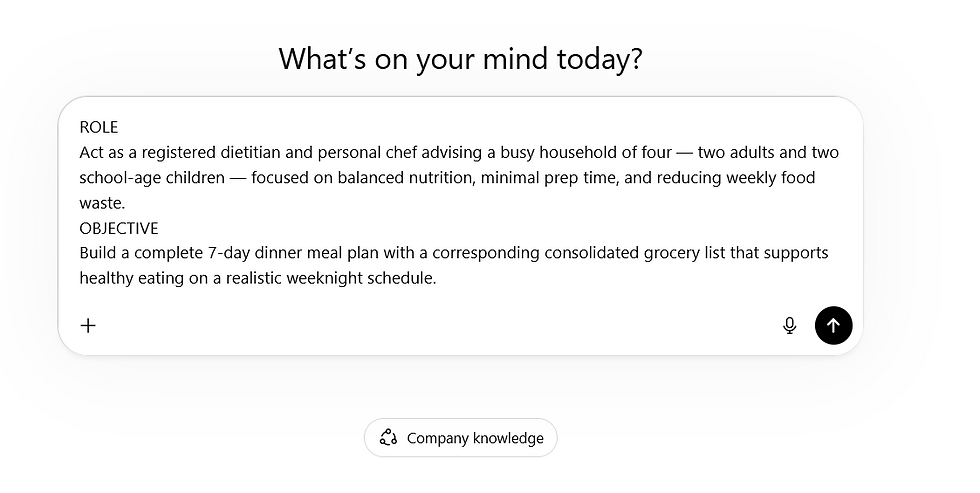
With personalization, the same prompt becomes problem-first, context-aware, voice-matched, and actionable. Add the 5 Part Super Prompt on top and you reduce rework even further—because you’re not hoping the model guesses your intent, you’re handing it the rails.
The Hidden Advantage: Compounding Returns
Personalization isn’t just better answers today. It’s compounding velocity over time. When the system already knows your context, every prompt gets shorter, sharper, and more effective. Less re-explaining. Less rewriting. Fewer “that’s not what I meant” loops. More momentum per minute.
This is how AI stops being a novelty and becomes infrastructure.
The Four-Step Configuration
If you’re an analog professional—smart, experienced, high-integrity, but not AI-native—none of this is obvious. You’re not “behind.” You’re just operating without the missing prerequisite. Here’s the sequence:
Occupation — Map the terrain
More About You — Set your cognitive calibration
Custom Instructions — Define your output standards
5 Part Super Prompt — Drop it in when you need precision execution
Set these up once. Watch what happens to your results.
Ready for the guided path?
If you want a path built specifically for analog professionals with real constraints and zero patience for hype, AI for Analogs is where to start. And if you’re ready for a tool that has your identity layer already built in, get on the Analog Twin notification list.
Frequently Asked Questions
Real questions from analog professionals getting started with ChatGPT personalization.
Q1: What is the Occupation field in ChatGPT and why does it matter?
The Occupation field is where you tell ChatGPT your professional world — not just your job title, but your domain, your constraints, and what good results actually look like for you. When this field is filled in correctly, ChatGPT stops giving you generic answers and starts giving you answers that would actually survive in your real work environment. A blank or vague Occupation field is one of the main reasons people get disappointing results.
Q2: How do I set up ChatGPT personalization settings for the first time?
Start by opening ChatGPT and navigating to Settings, then Personalization. You will see three fields: Occupation, More About You, and Custom Instructions. Fill in Occupation with your professional background and the kinds of problems you bring to ChatGPT. Use More About You to describe how you like to receive information — direct or detailed, frameworks or examples, plain language or technical. Use Custom Instructions to set your quality standard — what good looks like, what to avoid, and how you want responses structured. Save once and those preferences apply to every conversation going forward.
Q3: What should I put in the More About You field in ChatGPT?
More About You is your internal operating system. It tells ChatGPT how you think, not just what you do. Include your preferred communication style (direct, plain language, step by step), what you want to avoid (jargon, over-explaining, vague advice), your interests and background, and any context about your daily life that shapes what useful advice looks like for you. The more specific you are here, the less ChatGPT has to guess and the better your results.
Q4: What are ChatGPT Custom Instructions and how do I use them?
Custom Instructions are the rules of engagement you set for every ChatGPT conversation. They tell the model how to structure responses, what tone to use, what to include, and what to leave out. Think of it as a standing agreement between you and the tool. A strong Custom Instructions entry might say: start with the most important point, use plain language, give me practical steps I can act on, and do not overwhelm me with information I did not ask for. Once set, these rules apply automatically without you having to repeat them in every prompt.
Q5: Why does ChatGPT give me generic answers even when I ask specific questions?
Generic answers almost always mean the model is missing context about who you are. ChatGPT is built to respond to anyone, which means without personalization, it defaults to the most broadly applicable answer it can give. That answer is safe, but rarely useful for your specific situation. Filling in your Occupation, More About You, and Custom Instructions fields gives the model the context it needs to stop being generally helpful and start being specifically useful to you.
Q6: How does the 5 Part Super Prompt work with ChatGPT personalization settings?
Your personalization settings are your always-on identity layer. They tell ChatGPT who you are, how you think, and what good looks like, in every conversation automatically. The 5 Part Super Prompt is what you use when you have a specific task and need the model to execute it precisely. The two work together: personalization handles your baseline identity so you never have to re-explain yourself, and the Super Prompt supplies the mission brief for the task at hand. Using both together is what moves ChatGPT from occasionally helpful to reliably effective.
Q7: Is it worth personalizing ChatGPT if I only use it occasionally?
Yes and it actually matters more for occasional users than for daily ones. If you only open ChatGPT a few times a week, you do not have the benefit of a running conversation that builds context over time. Your personalization settings fill that gap. They make sure the model starts from a useful place every time, regardless of how long it has been since your last conversation. The setup takes about twenty minutes and applies permanently.
Q8: What happens if my text is too long for the ChatGPT settings fields?
ChatGPT limits how much text you can enter in each personalization field. If you paste your information and see a warning, or if the Save button does not respond, your entry is too long. Start by removing whichever section feels least essential to you. For most people that is the Specialized Knowledge or Learning Style entry. Then look for sentences that repeat the same idea and cut one of them. Try saving again. Repeat until it saves. A good rule of thumb: if your entry fills more than half a printed page, it is likely too long.

Comments